Field Mask List
Field Mask List
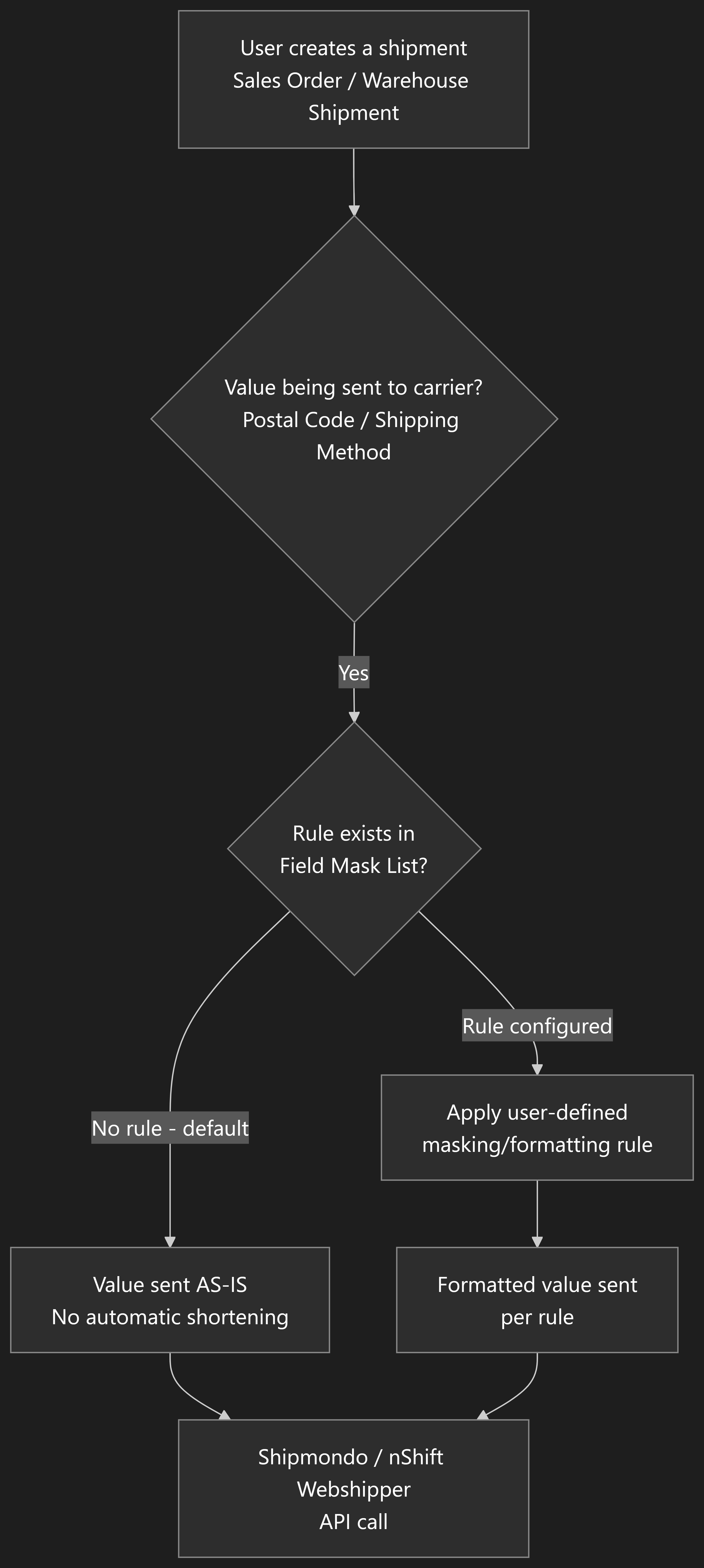
Section titled “Field Mask List”The Field Mask List is a setup page that lets you define your own custom formatting rules for values — such as Postal Codes and Shipping Methods — before they are sent to the carrier.
- Where to configure: Open the Field Mask List page from the Shipment Connector setup and add a rule for the field you want to control the format of.
- Default behaviour: No rules exist by default. Until you add one, values such as Postal Codes are forwarded to the carrier exactly as entered in Business Central, with no automatic shortening or reformatting applied.
- When to use this: If a specific carrier requires a particular Postal Code format (or a specific format for a Shipping Method value), add a rule here so the correct formatting is applied automatically whenever a waybill is sent.